Watch the places that matter.
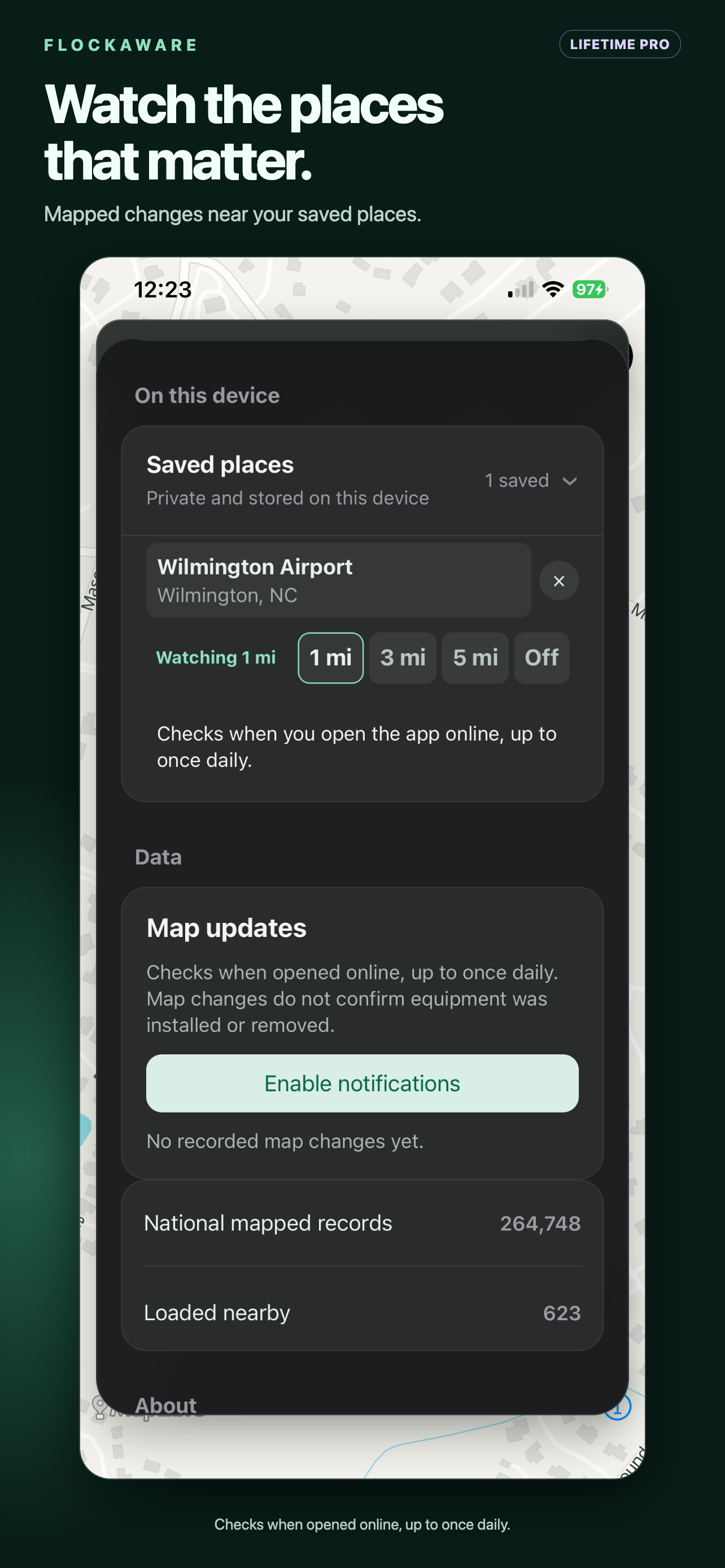
See mapped surveillance records added, changed, or removed near saved places. Checks run when you open the app online, up to once daily.
Free download. Upgrade to Lifetime Pro inside the app. No subscription required.
Choose a place. Set a radius.
- Search for a destination and save it.
- Open Settings → Saved places.
- Choose 1, 3, or 5 miles. Choose Off to stop watching.
- Return online to check for map changes. Your first check creates a baseline, so there may be no changes to show yet.
What Lifetime Pro includes
Up to 100 saved places stored on your device, watch areas around up to 10 places, custom driving alerts, and expanded mapped surveillance such as available CCTV, enforcement cameras, and public-safety sensors.
Core mapped Flock/ALPR awareness, school awareness, route comparison, voice navigation, and CarPlay remain free. Pro is an optional upgrade, not a requirement to use those features.
Map changes—not real-time camera detection
A new map record does not prove that equipment was just installed. A removed record does not prove that a camera was removed. Watch areas are not continuous background monitoring, and the underlying data may be incomplete or outdated.
No FlockAware account is required. Saved places remain on your device; online services still process the information needed for online requests. Read the privacy policy.
Need navigation without service too?
Offline Maps is $14.99/year and includes Pro while subscribed. You do not need to buy both to access Pro during an active Offline Maps subscription.